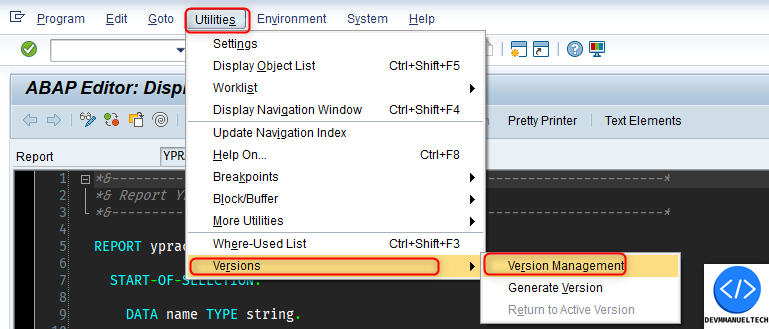
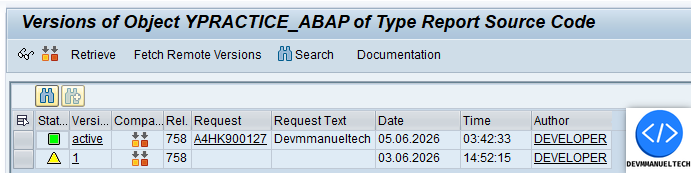
To see the version of any ABAP object, we need to take the following steps.
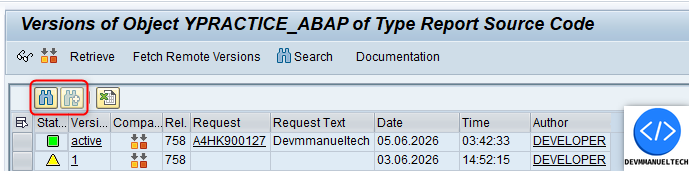
This is the default view of versions management.
As you can see, we have columns that are unnecessary for most developers.
The things we are going to do to upgrade the version management are the following:
Hide unnecessary columns
Hide unnecessary toolbar buttons
Add a toolbar button to export the version management as an Excel file
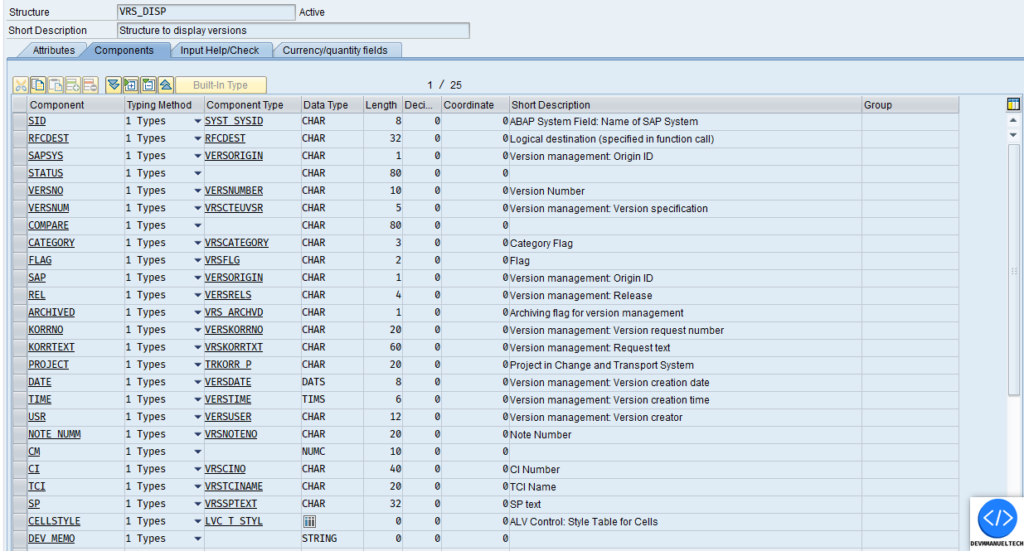
The structure thatShows the SE01 Version Management ALV is the next VRS_DISP
1 Step: Hide Unnecessary columns from ALV
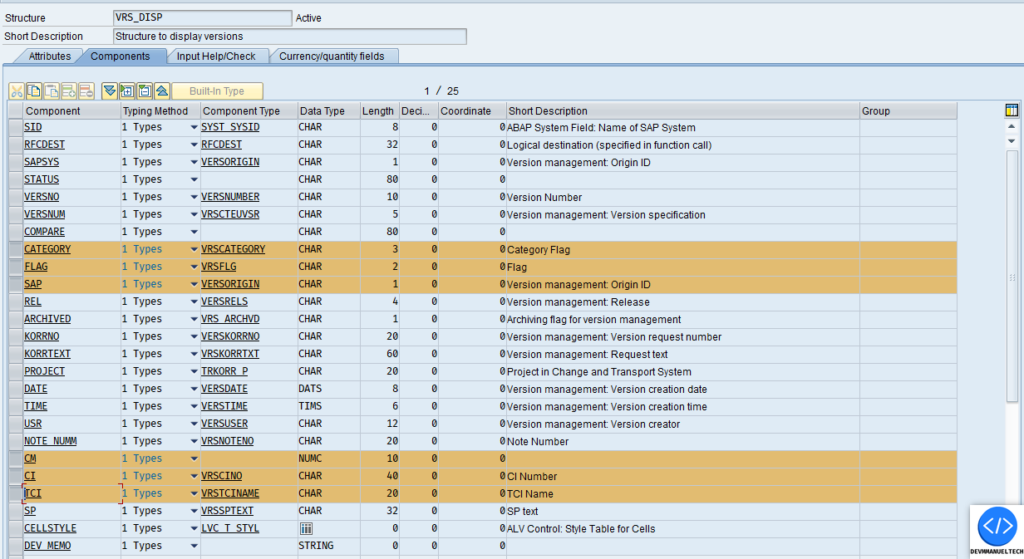
We do not need the columns selected below, so we will hide them from the ALV
In the Structure are the next fields
Here is the Subroutine that show the version Overview
Then the function module SVRS_DISPLAY_VERSION_ALV is executed, wich is what shows the ALV with the versions of the ABAP Object.
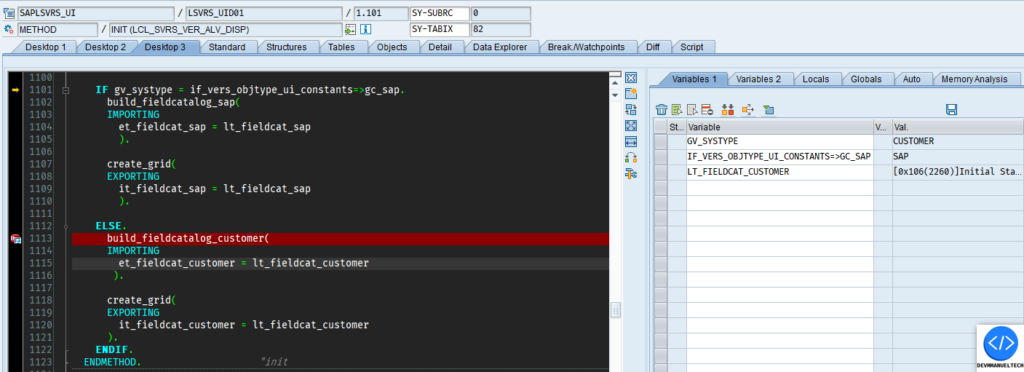
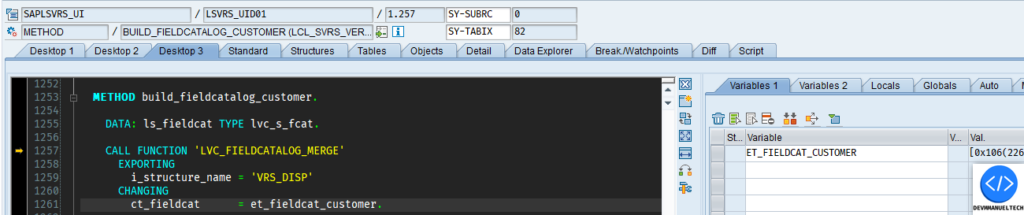
In the function, there is a method called build_field_catalog_customer, where the Field catalog is filled.
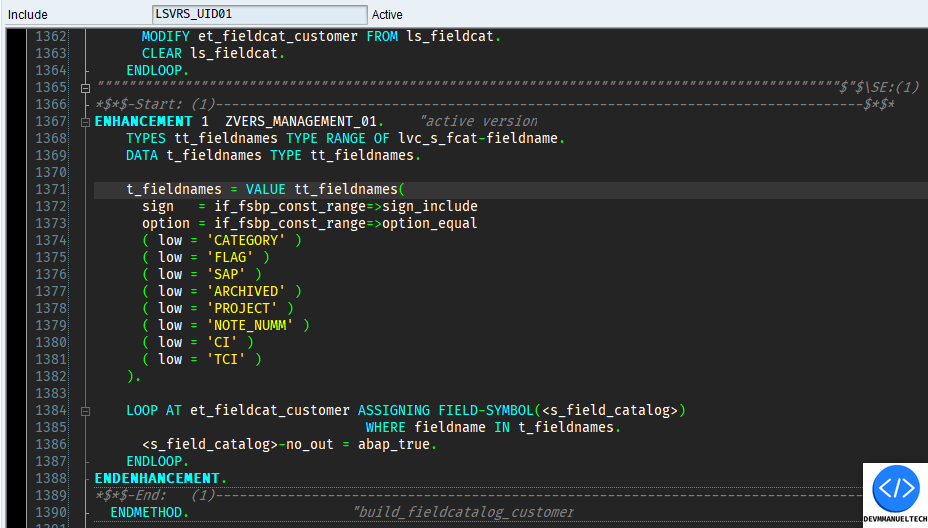
We are gonna add a Implicit Enhacement at end of the method build_fieldcatalog_customer to hide columns of ALV, after the fieldcatalog is built.
This is the code that we add, we create a range with the fields that we gonna to hide, the we do a loop in the internat table et_fieldcat_customer & put the property no_out to hide the column in the ALV
The result is the next:
Step 2: Add the functionality to download the ALV as an Excel file.
While debugging, we find the next method: create_grid. In this method a subrutine called exclude_toolbar_funcs_data is executed, where some UI_FUNCTIONS are added to lt_toolbar_excluding to be excluded from the toolbar.
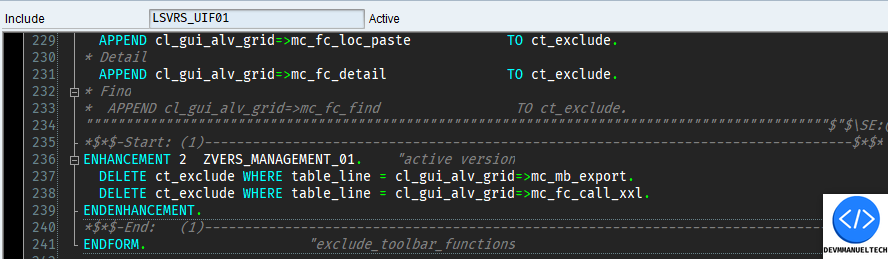
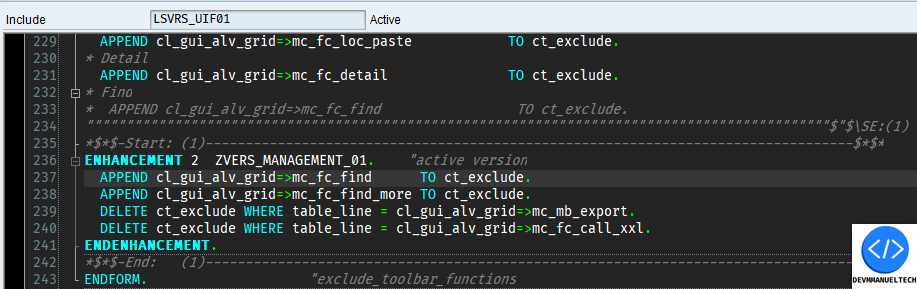
This is the code that we add: we delete the Excel toolbar button from the exclued UI_FUNCTIONS.
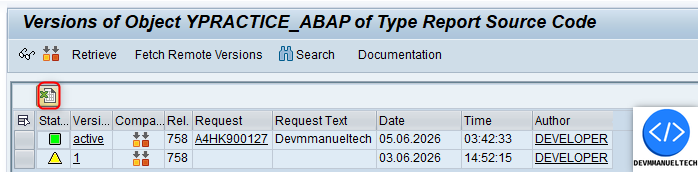
Now, as we can see, we have the Excel export toolbar button, wich allows us export the Version management of the object.
Step 3: Hide unnecessary toolbar buttons.
Now, we gonna delete the 2 toolbars UI_FUNCTIONS button for search, beacuse they are not necessary for us.
In the same place where we added the UI_FUNCTION excel toolbar button, we gonna add the logic to hide the 2 unnecessary toolbar buttons.
The code that we add is the following:
Now, the complete result is the following:
We have the excel export button, the unnecessary toolbar buttons are hidden and the unnecessary ALV columns are hidden.