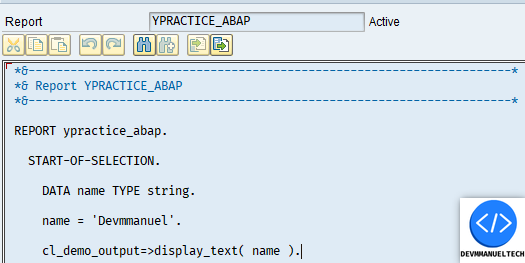
In older versions of SAP or depending on the user’s role, the default configuration for the ABAP Editor might look like this.
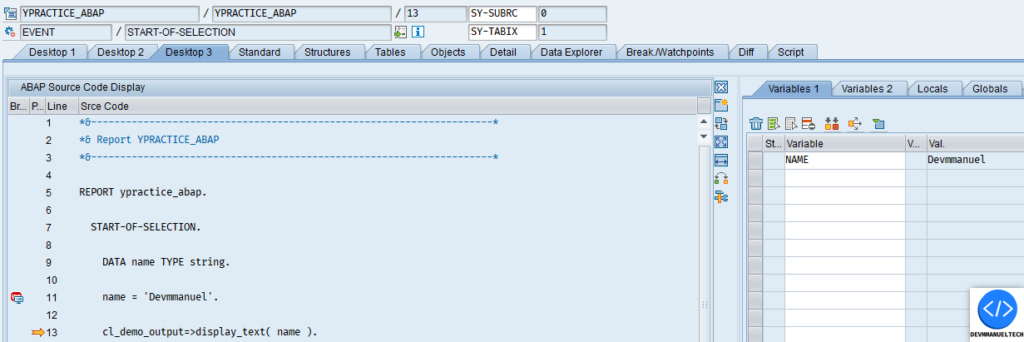
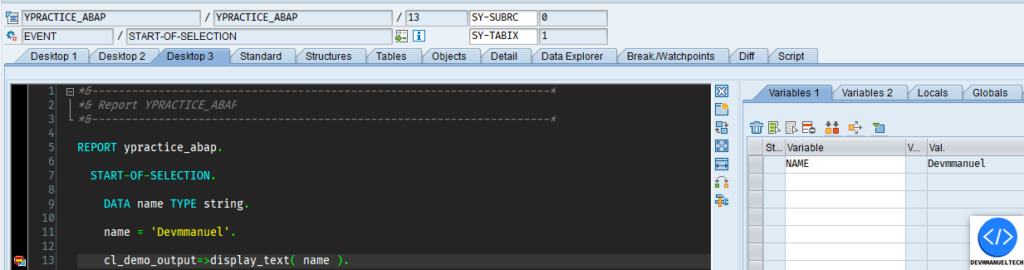
In DEBUG mode, it may appear as follows:
This is not the best option for programming or debugging a program.
To change the configuration from the old ABAP Editor to the new one, or vice versa, you can use the following transactions:
SE24
SE37
SE38
SE80
Etc.
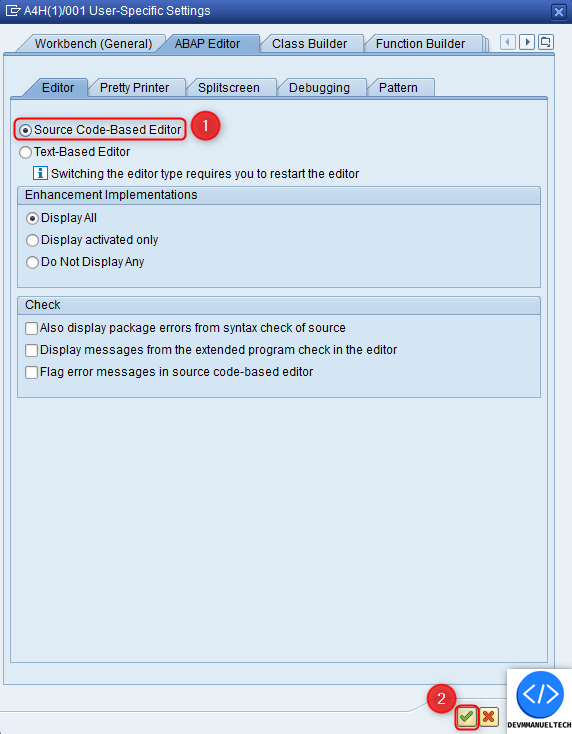
Below i show you the steps to make the configuration:
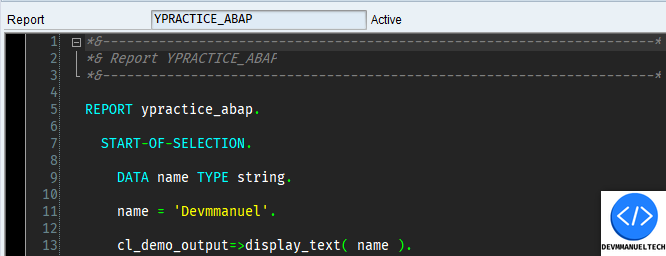
Once configured, the new ABAP Editor will be active and will look like this
But what if you need to change this configuration in a production environment? You or the user might not have the authorization for the transactions mentioned above.
What can we do to resolve this problem ?
There is a solution: we can create a transaction to change this configuration.
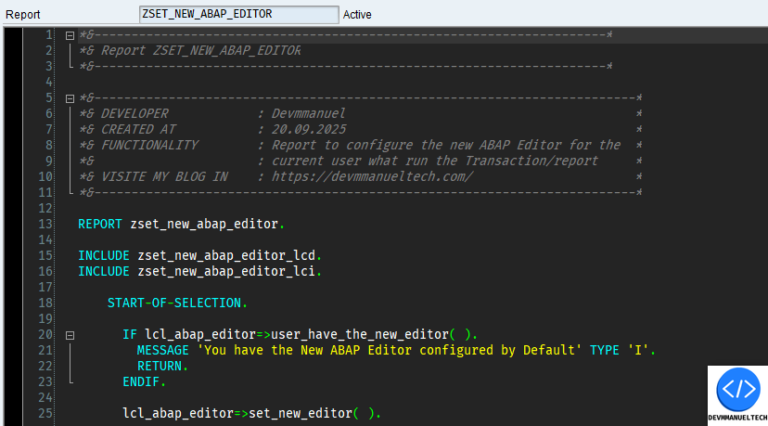
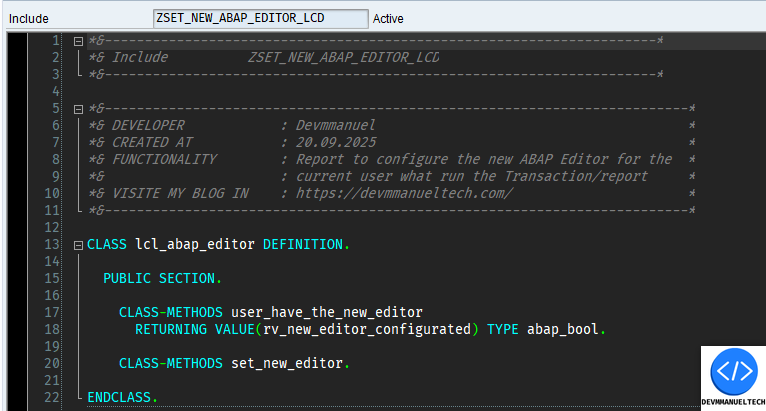
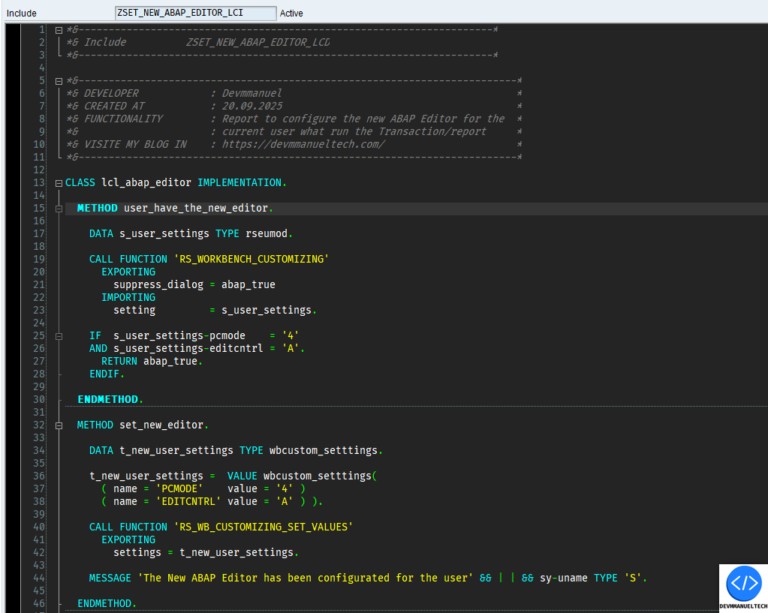
Let me show you how to do that with a few lines of code:
This program first verifies if the user has the new ABAP Editor configured by default. If not, the program will configure it.
Now, we can create a Z transaction to run the report in the production environment for the current user, providing a better view when debugging in a production environment.
If you want to use the code from the report, you can see the complete project on My Github Profile below.


Que interesante artículo, lo pondré en práctico.
Muchas felicidades y gracias por compartir tu conocimiento con los demás.